Save to Home Screen
Open in Safari
Tap the button above to open CleanEats, or type the link into Safari. Must use Safari — Chrome and Firefox won't work for this.
Tap the Share button
Look for the square icon with the arrow pointing up — it's at the bottom of the screen.
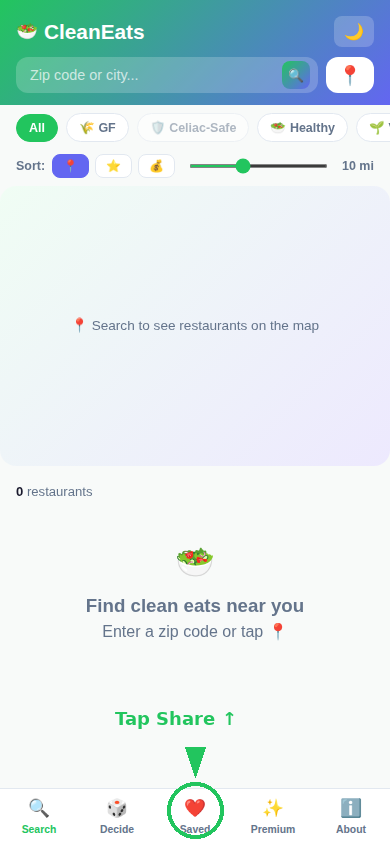
Tap "Add to Home Screen"
Scroll down in the share menu until you see this icon with the plus sign.
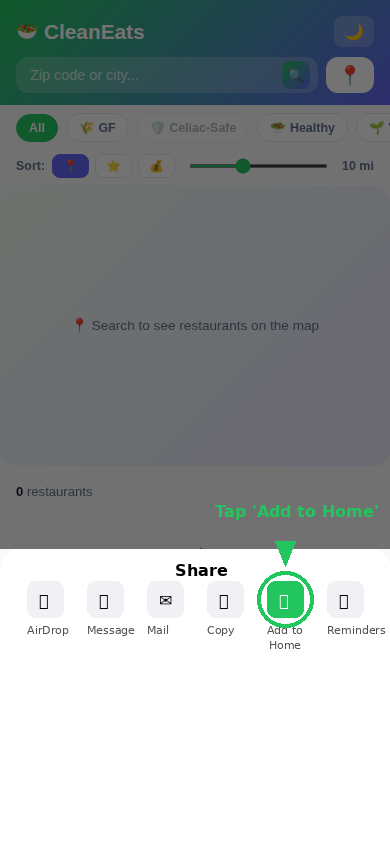
Tap "Add" in the top right
You can rename it if you want, then tap the blue Add button.
Done! 🎉
CleanEats is now on your home screen. Tap it anytime — it works like a real app, even offline for places you've already searched.
Save to Home Screen
Open in Chrome
Tap the button above or type the link into Chrome on your Android phone.
Tap the ⋮ menu (top right)
Or if you see a banner at the bottom that says "Add to Home screen," tap that instead — it's even faster.
Tap "Add to Home Screen"
Confirm the name and tap Add.
Done! 🎉
CleanEats is on your home screen now. Tap it anytime to find clean food & drinks nearby.
Ready to find clean food & drinks?
Open CleanEats →